
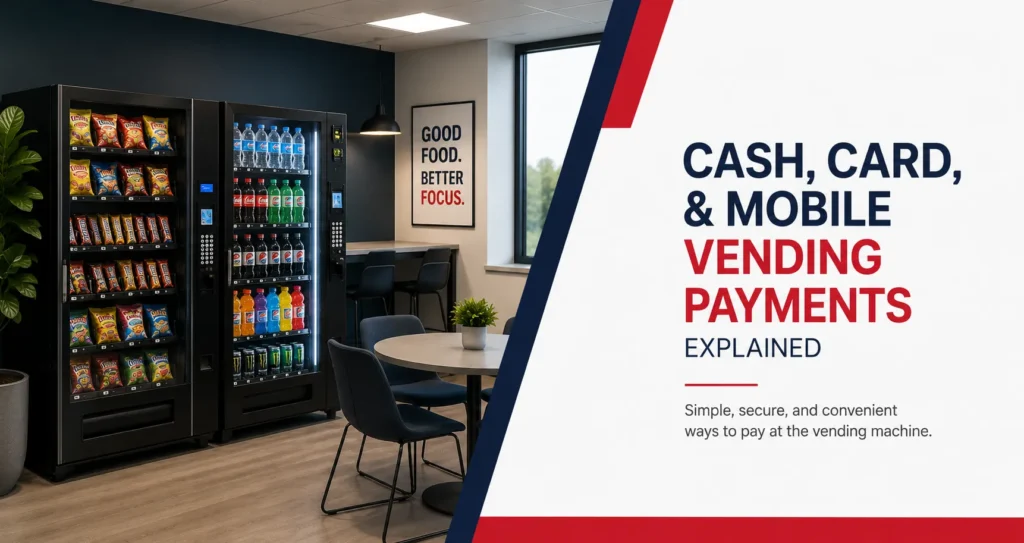
Modern vending machines can accept more than coins and dollar bills. Depending on the equipment, employees may be able to pay with cash, credit cards, debit cards, contactless cards, mobile wallets, or other digital payment options. The right setup makes purchasing more convenient while giving the vending provider useful transaction information for service planning.
Different workplaces may still need different combinations of payment methods. A public facility may want to keep cash available for visitors, while an office with mostly card and mobile-wallet users may rely heavily on cashless payments. Warehouses and multi-shift facilities may need fast transactions that prevent long lines during scheduled breaks.
Understanding the main vending machine payment methods helps employers compare equipment without treating every cashless system as identical. Card readers, tap-to-pay terminals, mobile wallets, and cash systems each have practical advantages, limitations, and service requirements.
What Payment Methods Can Modern Vending Machines Accept?
Modern vending equipment may accept several payment options through one machine. The available methods depend on the installed reader, machine compatibility, internet connection, payment processor, and service provider.
Common payment methods include:
- Coins and paper currency
- Credit and debit cards
- Contactless credit and debit cards
- Mobile wallets
- Stored-value cards or employee accounts
- QR-based or app-based payments where supported
A machine may accept both cash and digital payments, or it may operate as a cashless-only system. Employers should confirm the available methods before installation because payment hardware and machine configurations can vary.
Providing multiple options can make the equipment accessible to more users. However, every payment method adds equipment, processing, maintenance, or reconciliation considerations that should be discussed with the vending provider.
How Does a Vending Machine Card Reader Work?
A vending machine card reader connects the machine to a payment processing system. When an employee inserts, swipes, or taps a card, the reader sends transaction information through a network connection for authorization. Once the payment is approved, the machine allows the selected product to dispense.
The reader communicates with the vending machine’s control system. This connection helps match the approved transaction with the selected product and price. If the product does not dispense correctly, the machine or payment system may record information that helps the provider review the issue.
Card readers may also transmit transaction and machine information to the service provider. This can support sales reporting and service planning, although inventory monitoring and broader machine telemetry remain separate technology topics.
Not every older vending machine can accept a modern reader without modifications. Equipment compatibility should be checked before a workplace assumes that a card reader can simply be attached to any machine.
Credit and Debit Card Payments
Credit and debit cards are familiar payment methods for many employees. They remove the need to carry exact change and can make higher-priced products, refrigerated meals, or multi-item purchases easier to complete.
A card transaction may require the user to insert, swipe, or tap the card depending on the reader. Contactless cards generally provide the fastest experience because the employee can tap the card near the payment symbol instead of inserting it.
Some systems may display a temporary authorization amount before the final transaction is completed. This does not necessarily mean the employee has been charged the displayed amount permanently. The final posted transaction should reflect the completed purchase, but questions should be directed to the vending provider or card issuer when an amount appears incorrect.
Businesses should also ask how failed card transactions and refunds are handled. Employees need a clear reporting method rather than leaving payment concerns with an office manager who cannot access the transaction system.
What Is Contactless Vending Payment?
A contactless vending payment allows a user to tap a compatible card, phone, or wearable device near the payment reader. The transaction is processed without inserting the card or exchanging cash.
Tap-to-pay can be useful in busy workplaces because it reduces the physical steps required to complete a purchase. An employee can select a product, tap a payment method, and complete the transaction without searching for coins or typing unnecessary information.
Contactless readers can also be helpful where several employees use the machine during a short scheduled break. Faster transactions may reduce delays, although machine capacity, product arrangement, and employee traffic still affect the overall line.
The reader should display a recognizable contactless payment symbol and clear instructions. Employees who are unfamiliar with the process should be able to understand where to tap and when the transaction has been approved.
How Do Mobile Wallet Payments Work at Vending Machines?
A mobile payment vending machine may accept digital wallets through the same contactless reader used for tap-enabled cards. Employees can hold a compatible phone or wearable device near the reader and approve the payment through the security settings on their device.
Common mobile wallet options may include Apple Pay, Google Pay, and other services supported by the payment terminal. The vending provider should confirm which systems work with the installed reader rather than assuming every mobile wallet is accepted.
Mobile payments are convenient for employees who carry a phone but not a physical wallet during their shift. This can be especially relevant in warehouses, manufacturing facilities, healthcare workplaces, and other environments where personal belongings may remain in a locker or work area.
A phone payment still depends on functioning reader hardware and network connectivity. If the terminal is offline or the machine cannot communicate with the payment system, the mobile transaction may not complete.
Cash vs. Cashless Vending
Cash and cashless vending serve different users. The best choice depends on the people using the machine, the facility’s access rules, and whether the location serves employees only or members of the public.
| Payment Type | Main Advantage | Possible Limitation |
| Coins and bills | Familiar and accessible without a bank card | Requires change handling and cash equipment |
| Credit and debit cards | Convenient for users without cash | May involve processing fees and network access |
| Contactless cards | Fast tap-to-pay experience | Requires compatible cards and readers |
| Mobile wallets | Convenient for phone and wearable users | Depends on device and terminal compatibility |
| Stored-value accounts | Can support controlled workplace programs | Requires setup and account management |
Cash can remain useful in schools, public buildings, apartment communities, and other locations with a broad range of users. Some people prefer physical currency, while others may not have access to a card or mobile wallet.
Cashless payment is often preferred in workplaces where employees already use cards or phones for daily purchases. It can also reduce the need to maintain coin mechanisms, bill acceptors, and change-related equipment.
A mixed-payment machine may provide the broadest access. It allows employees to use digital payments without removing cash for users who still rely on it.
Why Do Workplaces Prefer Cashless Vending?
Cashless payment makes workplace vending more convenient for employees who rarely carry coins or bills. It also allows purchases to continue when an employee has a card or phone but no physical cash available.
Speed is another advantage. Tapping a card or phone can be faster than inserting several coins or feeding a bill into a machine, particularly when employees have limited break time. The difference becomes more noticeable when many employees use the same equipment during a shift change.
Digital transactions can also provide useful sales information for the vending provider. This information may show which products are purchased, when traffic is highest, and how the machine is performing. The provider can use that information alongside onsite inspections and inventory review.
Cashless vending does not automatically make every break room better. The equipment must remain reliable, the reader must be easy to use, and employees need support when a transaction or product delivery fails.
Are Cashless Vending Machines Suitable for Every Workplace?
Cashless vending can work well in offices, warehouses, manufacturing facilities, healthcare workplaces, and controlled-access employee areas. These environments often have regular users who are familiar with cards and mobile wallets.
Public-facing facilities may benefit from keeping a cash option. Libraries, government buildings, community centers, and waiting areas may serve people with different payment preferences and levels of access to digital payment methods.
Schools require separate consideration. Student access, district policies, age groups, approved payment systems, and machine operating hours may affect which payment methods are suitable. A staff-only machine may use a different setup from equipment available to students.
The final decision should be based on users rather than technology alone. A modern reader provides little value if a significant portion of the intended audience cannot or does not want to use it.
Payment Options for Offices and Professional Workplaces
Professional offices often benefit from card, contactless, and mobile wallet payments because employees may not carry cash during the workday. Digital payments also fit well with workplaces that use modern coffee stations, self-checkout markets, and other unattended refreshment services.
A smaller office may use a combination machine with both cash and card acceptance. A larger workplace may use separate snack and beverage machines, each with compatible cashless readers. Consistent payment options across multiple machines can make the break room easier to understand.
Employers should avoid requiring employees to create an unnecessary account simply to purchase a snack or drink. The transaction process should remain straightforward unless the workplace uses a specific subsidy or stored-value program.
Best Vending’s office vending machine guide explains how payment methods fit with equipment selection, product planning, machine placement, and ongoing service.
Payment Options for Warehouses and Multi-Shift Facilities
Warehouses and manufacturing facilities often experience concentrated demand during scheduled breaks. Payment speed matters because several employees may reach the machines at the same time and have limited time before returning to work.
Tap-to-pay cards and mobile wallets can reduce the time employees spend handling cash. The system may also serve overnight workers who do not have access to a nearby store or onsite food service.
Reader placement and screen visibility should be considered carefully. The terminal should be easy to reach and understand, even in busy break rooms or locations where employees may be wearing work gloves. Instructions should remain visible, and the machine should clearly indicate whether the payment has been accepted.
Facilities should also consider network availability in the proposed machine area. A reader installed deep inside a large industrial building may require additional planning to maintain reliable connectivity.
Payment Methods in Micro Markets
A micro market uses a self-checkout kiosk rather than a traditional vending machine payment terminal. Employees select products from open shelves or coolers, scan them at the kiosk, and complete payment before leaving the market.
Micro market kiosks may accept cards, contactless payments, mobile wallets, or registered accounts depending on the system. Some workplace programs may also support employer subsidies or account-based benefits.
The checkout process is different from buying one item from a vending machine, but the same principles apply. Payment instructions should be clear, transactions should be easy to complete, and employees need a process for reporting incorrect charges.
Larger workplaces comparing vending equipment with open food access can review Best Vending’s micro market service. A facility may also use vending machines in smaller departments while operating a central market in the main break room.
Common Payment Problems and How They Are Handled
Digital payment equipment can improve convenience, but technical and transaction issues may still occur. A reliable provider should have a clear process for identifying and resolving them.
Common concerns include:
- A card or phone is not recognized
- The reader shows that the network is unavailable
- Payment is approved, but the product does not dispense
- A temporary authorization amount appears
- The wrong product price is displayed
- The card is declined
- The employee is unsure how to request a refund
A declined transaction does not always mean the machine is malfunctioning. The payment method, available funds, card settings, processor response, or network connection may affect approval.
When payment is approved, but the product does not dispense, the employee should report the machine location, product selection, time of purchase, and payment method. This information helps the provider investigate the issue.
A service label or digital reporting option should be easy to find on the machine. Employees should not need to search for the provider’s contact information after a failed transaction.
What Should Employers Ask About Vending Payment Systems?
Employers should understand the payment options and setup before machines are installed. The discussion should include user access, reader compatibility, cash availability, transaction support, and network requirements. Businesses planning new equipment can also review how to get a vending machine installed at your workplace so payment hardware, network needs, electrical access, and site planning are considered before installation.
The workplace should confirm whether the equipment accepts cash, cards, contactless payments, and mobile wallets. It should also ask whether payment methods are consistent across every machine at the location.
Refund procedures deserve equal attention. Employees should know whether they report a problem through a phone number, QR code, online form, or workplace contact. The process should be simple enough to use during or after a short break.
Employers should also clarify who maintains the reader and how quickly technical concerns are reviewed. A machine full of products still provides limited value when employees cannot complete a purchase.
How Payment Data Supports Better Vending Service
Digital transactions can show when purchases occur and which products employees select. This information can help the provider identify busy periods, best-selling products, and changes in workplace demand.
Payment data should not replace physical service checks. Route drivers still need to inspect product dates, dispensing components, machine cleanliness, refrigeration, and the condition of the equipment.
When combined with inventory information, transaction records can support more accurate restocking. Businesses can also review how vending machine restocking frequency changes with sales volume, machine capacity, employee traffic, and work shifts. A provider may see that bottled water sells quickly during afternoon shifts or that ready-to-drink coffee performs best overnight.
Broader monitoring systems, connected equipment, and operational tools are explained on Best Vending’s vending technology page. This cluster remains focused on the payment experience rather than the full technology system.
Vending Machine Payment Options in St. Charles County
Businesses across St. Charles, St. Peters, O’Fallon, Wentzville, Chesterfield, Maryland Heights, Earth City, and nearby Missouri communities serve different groups of vending users. A controlled office may rely mainly on cards and mobile wallets, while a public-facing location may need both cash and digital payments.
Multi-shift workplaces should consider transaction speed, overnight access, network availability, and support for failed purchases. Schools and public facilities may also need payment arrangements that reflect their policies and user groups.
A local vending provider can review the proposed machine location, employee count, traffic patterns, and available connectivity before recommending a payment setup. Payment technology should fit the facility rather than being selected simply because it is newer.
Choose Payment Methods That Fit the People Using Them
The best vending machine payment methods make purchasing simple for the people using the equipment. Cash, cards, contactless payments, and mobile wallets can all provide value when they match user preferences and the operating environment.
A workplace does not always need to choose between cash and cashless vending. Mixed-payment equipment can serve a wider audience, while cashless-only machines may work well in controlled employee areas where digital payments are already common.
Reliable support remains essential. Employees should know how to report a failed transaction, request a refund, or identify a reader problem. A modern payment terminal is most useful when it is paired with clear instructions, functioning equipment, and responsive service.
Frequently Asked Questions
Depending on the equipment, vending machines may accept coins, paper bills, credit cards, debit cards, contactless cards, mobile wallets, and stored-value accounts. Available options should be confirmed with the provider.
Many modern contactless readers can accept supported mobile wallets such as Apple Pay and Google Pay. Compatibility depends on the installed reader and payment processor.
Some payment systems may display a temporary authorization amount before the final purchase is posted. The completed transaction should reflect the actual purchase, but users should report any unresolved discrepancy.
Contactless card and mobile wallet transactions can reduce the steps required to complete a purchase. Actual speed also depends on network connectivity, reader performance, and how quickly the machine dispenses the product.
Yes. Many machines can combine coin and bill acceptance with a cashless card reader. This can make the machine accessible to users with different payment preferences.
The employee should report the machine, selection, transaction time, and payment method to the vending provider. The provider can review the transaction and explain the available refund process.
Cashless readers generally require a network connection to authorize and process transactions. The connection method and reliability depend on the installed system and building conditions.
Yes. Mobile and contactless payments can work well in warehouses because employees may carry a phone or card instead of cash. Equipment placement, connectivity, shift traffic, and support should be reviewed before installation.